Recording in.
Demo out.
Pro tools,
no learning curve
Live Share
Send one link and reviewers scrub your animation as it plays, their cursors moving live on the canvas.
3D Tilt
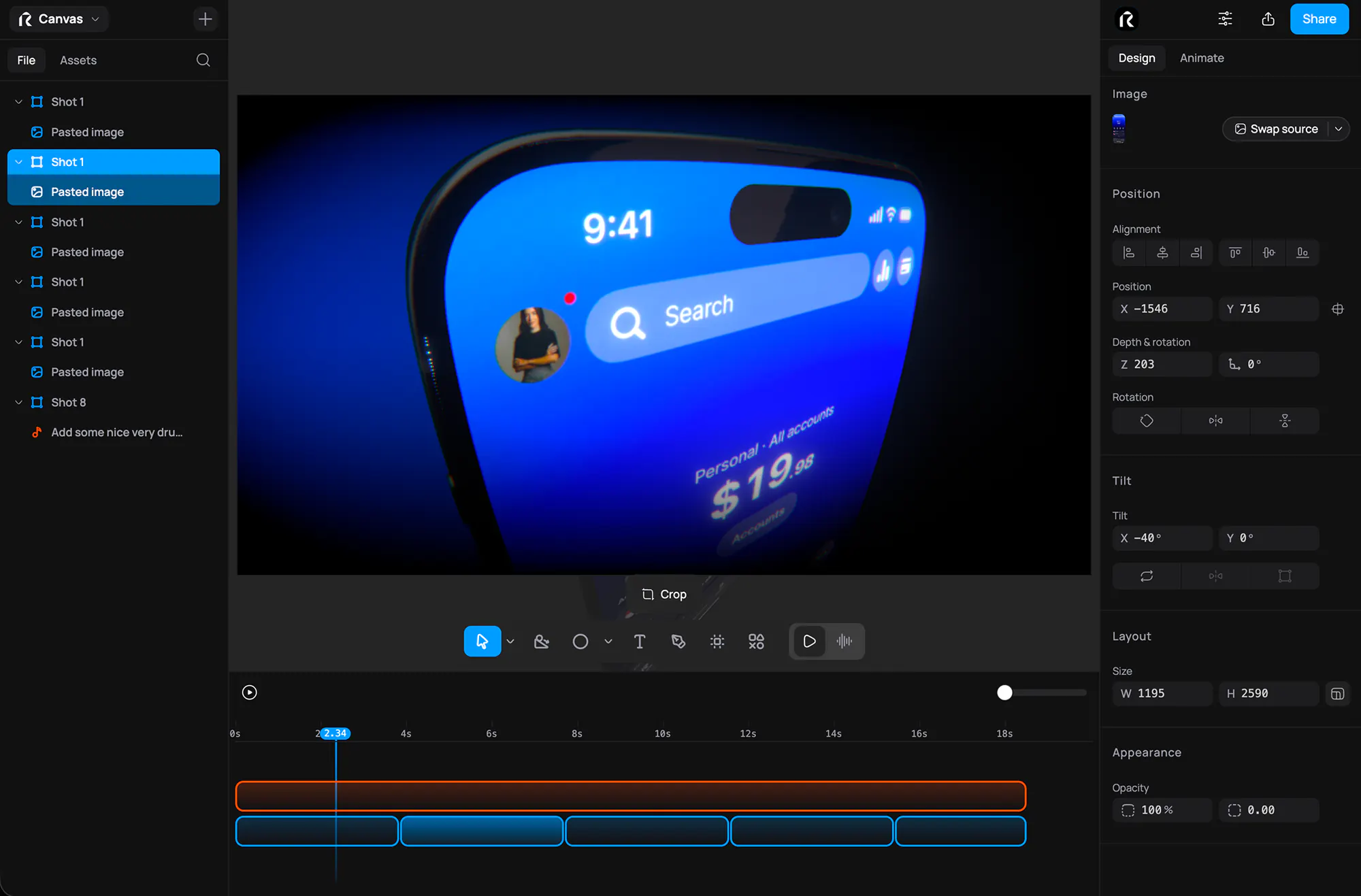
Lean a flat UI screenshot back into the frame for instant depth, by tool or exact angle.
Animations
Pick a one-click entrance like Fade or Typewriter, then draw your own easing curve on any property.
Effects
Shallow depth of field and bloom give every frame a film-grade finish, and rack focus mid-shot.
Flexible Layouts
Drag a layer and smart guides snap it to neighbors, edges, and the spacing of nearby layers.
Timeline
Skip the keyframe graphs. Drag a block onto a property lane and stretch its edges for duration.

Camera Moves
Set two framings and get a smooth, arc-free move between them, as a 3D dolly or a flat zoom.
Raylight for Figma
Send frames with the Figma plugin. They land as real layers, auto layout and components intact, ready to animate.
Meet the fastest way to ship beautiful product videos.
Voiceover
Pick a voice, write your script, and get narration that sits right in the mix.
Sound Effects
Describe the sound you want to hear and drop the generated take straight onto the timeline.
Shoot bold.
Ship fast.
